Getting Started
Create your online store in minutes. Follow this guide to set up your account, add products, and start accepting orders from customers.
Create your account
New users visiting kanect.shop can click Sign in, Sign up, or Create Store for Free. You can continue using Google, Facebook, or Email + Password.
Complete onboarding
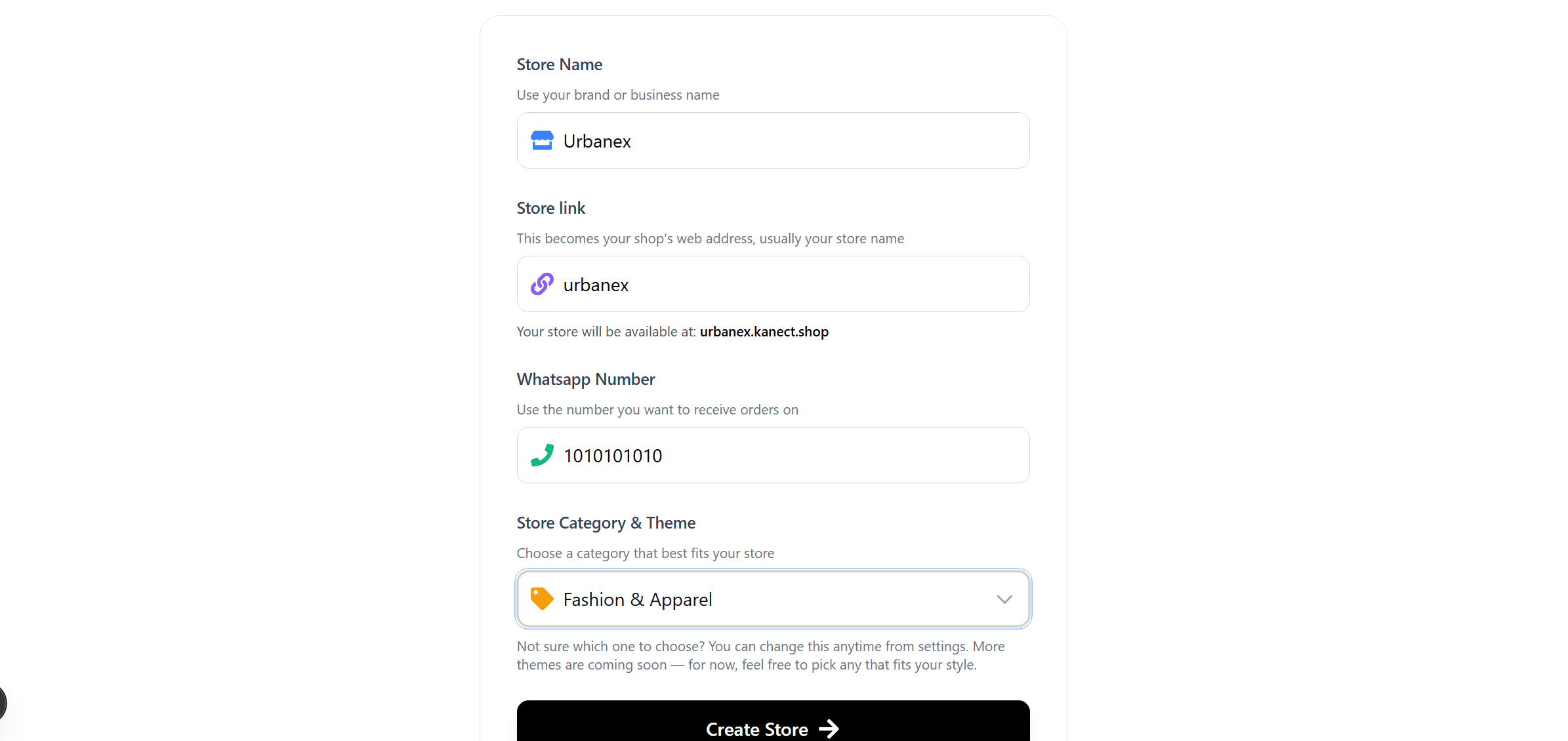
After signing in, you will be redirected to onboarding. Fill your store details like store name, store link, WhatsApp number, and category.
Example: Urbanex (fashion seller) → Store name: Urbanex → Link: Urbanex.kanect.shop
Create your store
Choose a category such as Fashion, Beauty, Food, or others. Categories can be changed later from Settings. Click Create Store to continue.
Access your dashboard
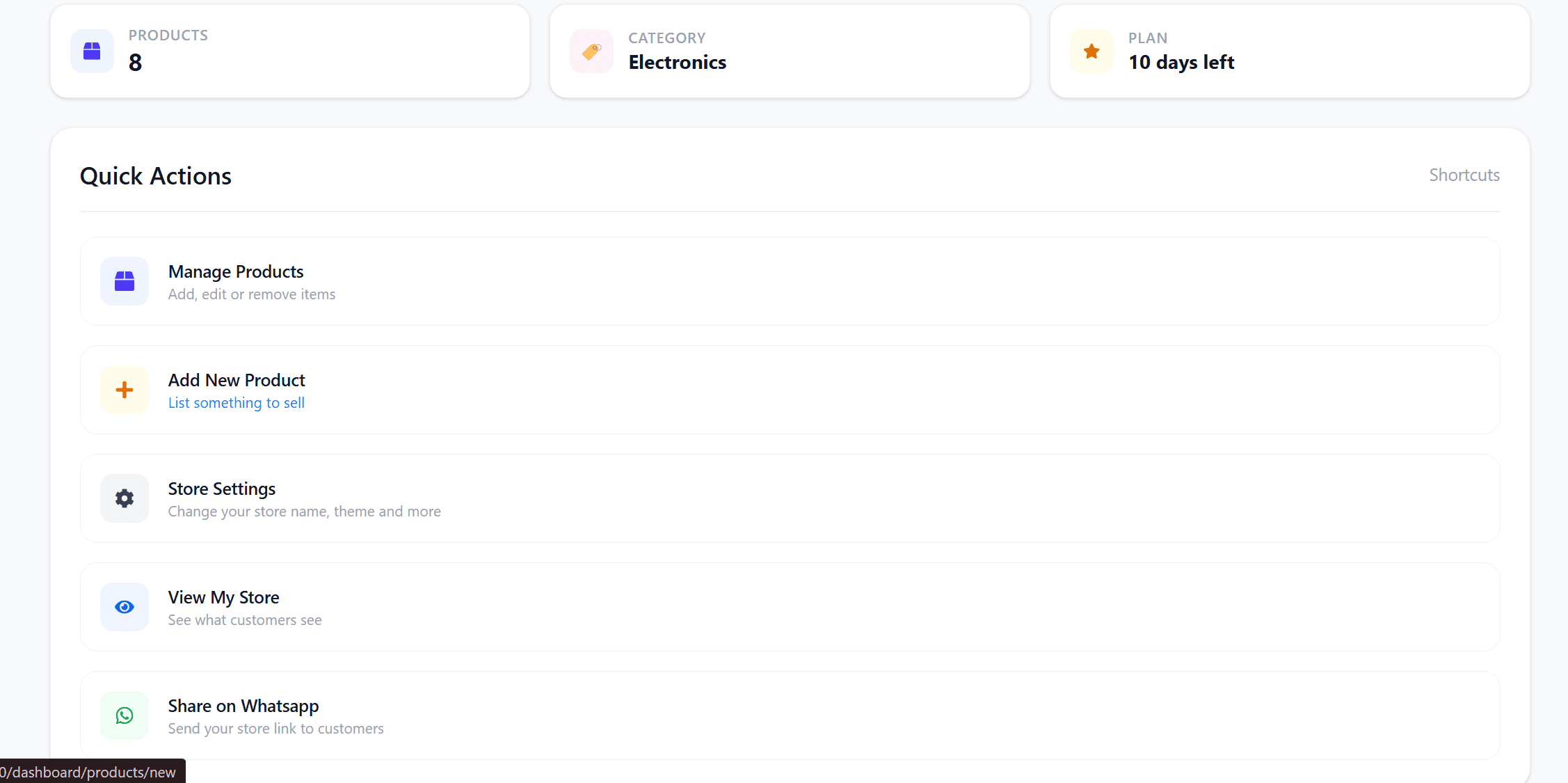
After onboarding, you'll land in your Dashboard where you can Add Products, Manage Products, and adjust Store Settings.
Add new products
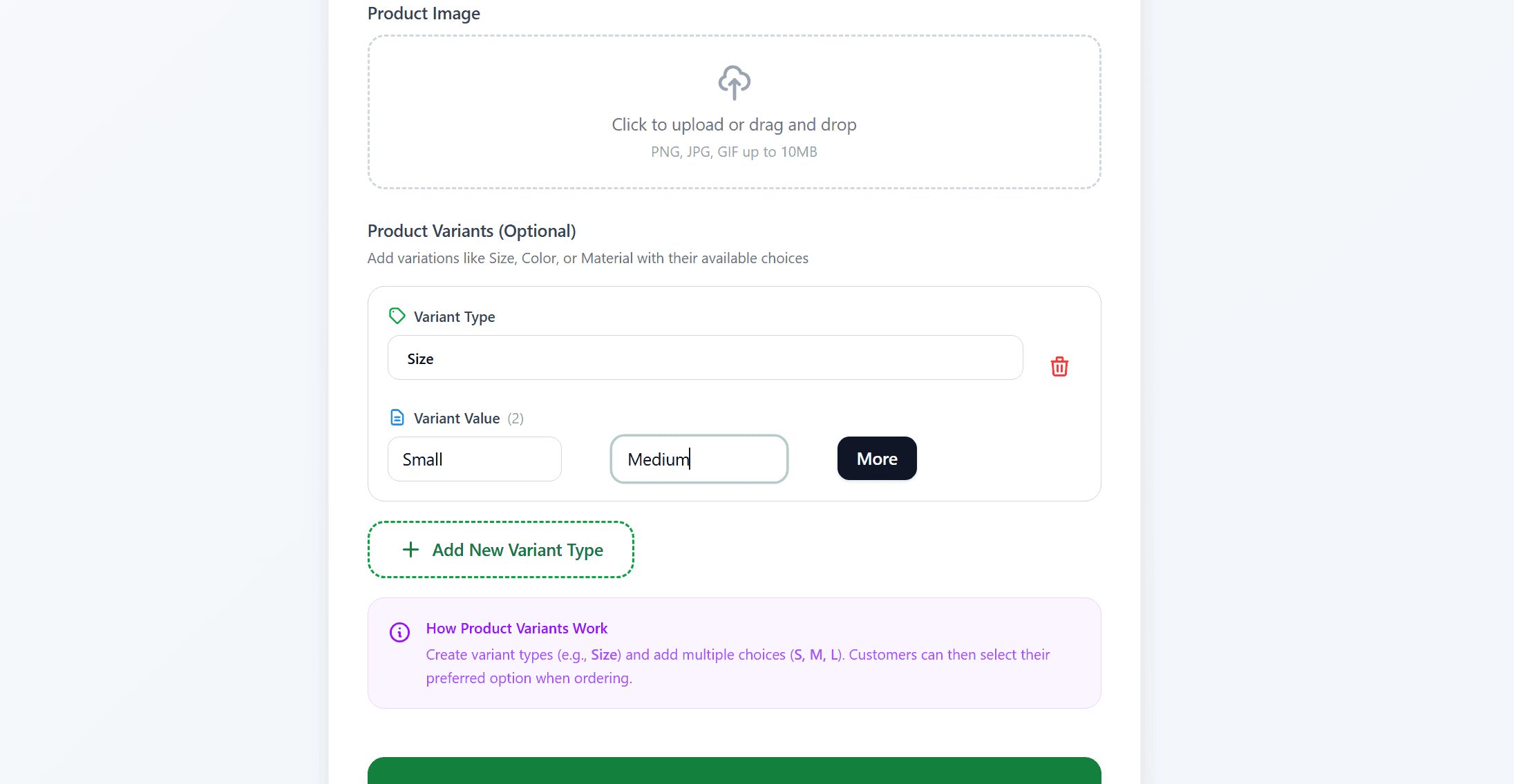
Click Add New Product and fill title, price, description, images, and product options.
Options are fully flexible. Example: Size (Small, Medium), Color, Fabric, or even Storage 128GB — not limited by category.
Manage products
Inside Manage Products you can edit products, update details, and toggle products as In Stock or Out of Stock anytime.
View your live store
Click the eye icon in the dashboard (top-right) to view your customer-facing website and experience it exactly as customers will.
Orders & free trial
Customers can place orders directly from your store. Every new vendor gets a 7-day free Premium trial.
After the trial, choose between Basic or Premium plans.
Full Documentation
Explore detailed guides, API references, and best practices for your store.
Browse docsReady to launch your store?
Start with 7 days of Premium features, completely free. No credit card required.
Free 7-day Premium trial • No credit card required • Cancel anytime